Shadow

3D Printer

Bambu Lab P2S: 5 Key Things to Know Before You Buy

Bambu Lab P2S: 5 Key Things to Know Before You Buy

3D Printer, Buying Guide
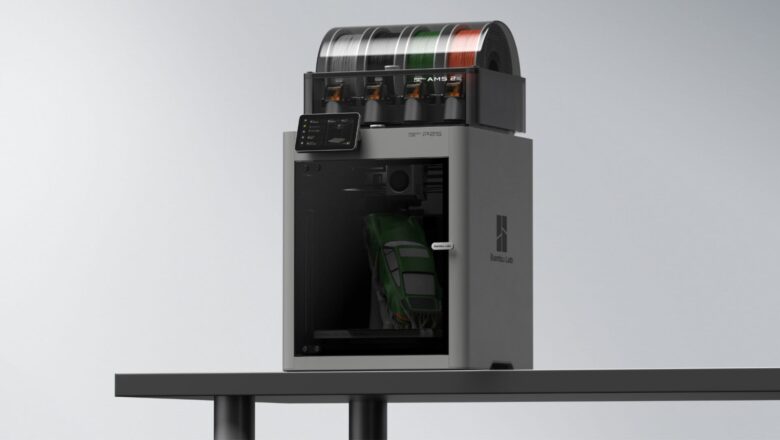
  Bambu Lab’s printers have shaken up the desktop 3D-printing market over the past few years — fast, smart, and surprisingly refined. Now the P2S has arrived, and it’s already one of the most talked-about models of 2025. But before you hit “buy,” it’s worth looking deeper. The P2S isn’t just a faster version of the P1 series; it’s a smarter, more capable printer that edges closer to professional territory while keeping the ease of use that made Bambu famous. Here are five essential things you should know before you buy the Bambu Lab P2S — from what’s new under the hood to what kind of user it’s really built for.   1. It’s More Than an Upgrade-It’s a Redesign At first glance, the P2S looks familiar. The footprint and form factor echo the P1S, but the internals have e...
In-Depth Comparison: Creality K2 Pro vs Bambu Lab P1S

In-Depth Comparison: Creality K2 Pro vs Bambu Lab P1S

3D Printer
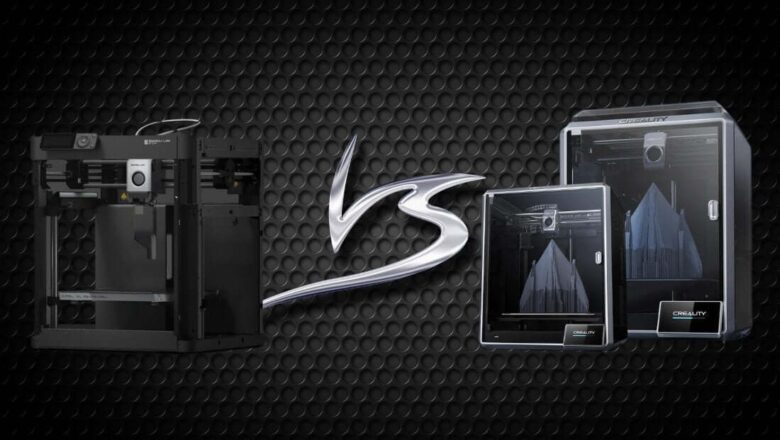
  When you talk to serious 3D-printing enthusiasts today, two names come up again and again-Creality K2 Pro and Bambu Lab P1S. Both represent the new wave of smart, high-speed, semi-professional FDM printers that blur the line between “hobbyist” and “industrial.” But the choice between them isn’t as simple as comparing spec sheets. It’s a question of philosophy, workflow, and what kind of maker you are. Let’s take an honest, in-depth look at how these two machines perform in the real world — from speed and accuracy to usability and ecosystem — and discover which one truly deserves a spot on your workbench.   Table of Contents Quick Overview Key Specifications Compared Build Quality, Mechanics & Design Print Performance: Speed, Accu...
A Real Journey with the Snapmaker U1 Color

A Real Journey with the Snapmaker U1 Color

3D Printer
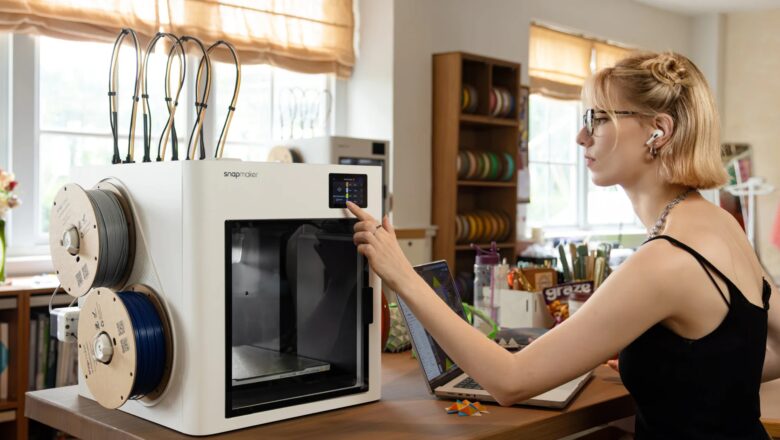
Why I Chose the Snapmaker U1 When Snapmaker announced the U1 Color 3D Printer (with its “SnapSwap” system, multi-tool heads, and promises of fast color/material switching) I was intrigued — but also skeptical. Multicolor and multi-material printing has long been a kind of “holy grail” in desktop FDM: lots of promise, lots of compromise. One big question for me: how compatible will it be with third-party filaments and existing 3D printer workflows? Many toolchanger or multi-material printers force you into proprietary filaments, rigid pipelines, or heavy purge waste. If I were to adopt one, I wanted flexibility, reliability, and real-world ease for both basic and ambitious prints. By the time I began testing, there were some promising reviews and spec sheets: Tom’s Hardware pr...
The Best 3D Printers for Beginners in 2025

The Best 3D Printers for Beginners in 2025

3D Printer
If you’re just starting out with 3D printing, you’ve probably heard about the Flashforge Adventurer 5M series, specifically the AD5M, AD5M Pro, and the newer AD5X. I’ve been printing for a few years now, but I still remember the frustration of my first machine: constant bed leveling, tangled filament, and firmware bugs that made me want to give up. That’s why I decided to test Flashforge’s new beginner-friendly lineup for myself. Over the past three months, I’ve been using all three, the AD5M, AD5M Pro, and AD5X, printing everything from simple keychains to multi-color decorative vases, and even some functional parts for my workshop. This review is written from real experience, not marketing copy. I’ll share what went right, what went wrong, and which of these three models I think is the...
Best Enclosed 3D Printers 2025

Best Enclosed 3D Printers 2025

3D Printer
In 2025, enclosed 3D printers are more powerful, beginner-friendly, and versatile than ever before. Whether you're printing ABS, Nylon, or advanced composites, an enclosed printer ensures better temperature control, safety, and consistent print quality. Here are 7 of the best enclosed 3D printers this year based on speed, build volume, enclosure quality, and multi-material support—with pros and cons to help you make the best choice. 1. Bambu Lab X1 Carbon Combo Build Volume: 256 × 256 × 256 mm Speed: Up to 500 mm/s Enclosure: Fully enclosed with active carbon filter Materials: PLA, PETG, ABS, ASA, PA, PC, CF Why it’s great: AI-powered monitoring, AMS for multicolor printing, ultra-fast CoreXY design. ✅ Pros: Exceptional print quali...
Best 3D Printer under $500

Best 3D Printer under $500

3D Printer
Looking to dive into 3D printing without breaking the bank? Whether you're a beginner, a hobbyist, or someone looking to prototype on a budget, the good news is: you don’t have to spend thousands to get a solid machine. In fact, the under-$500 category is full of surprisingly capable 3D printers that can deliver great results—if you know what to look for. In this post, we’ve rounded up the best 3D printers under $500 in 2025, balancing print quality, reliability, ease of use, and community support. 🥇 1. Elegoo Neptune 4 Pro – Best for Balanced Performance Price: ~$300 Build Volume: 225 x 225 x 265 mm Print Speed: Up to 500 mm/s Features: Klipper firmware, auto bed leveling, dual-gear direct drive Best For: Speed-focused hobbyists & i...
Bambu Labs A1 3D printer, Worth It for Beginners?

Bambu Labs A1 3D printer, Worth It for Beginners?

3D Printer
(Image: techradar) The Bambu Labs A1 is a big step up from the smaller A1 Mini. It will have a big impact on the 3D printing world because it is fast, can use many different materials, and is cheap. It has a great build quality and lots of advanced features that suit lots of different users, from beginners to professionals. Pros Ultra-fast printing Multi-filament versatility Exceptional build quality Cons Complex software No enclosure 80ºC heated platform limit Bambu Labs has become known for shaking up the 3D printing industry. Their Core XY machines were very fast and accurate. If that wasn't enough, the AMS multi-filament system made the machines even better. Recently, we tried something a bit different by reviewing the Bambu Labs A1 Mi...