
When you talk to serious 3D-printing enthusiasts today, two names come up again and again-Creality K2 Pro and Bambu Lab P1S. Both represent the new wave of smart, high-speed, semi-professional FDM printers that blur the line between “hobbyist” and “industrial.”
But the choice between them isn’t as simple as comparing spec sheets. It’s a question of philosophy, workflow, and what kind of maker you are.
Let’s take an honest, in-depth look at how these two machines perform in the real world — from speed and accuracy to usability and ecosystem — and discover which one truly deserves a spot on your workbench.
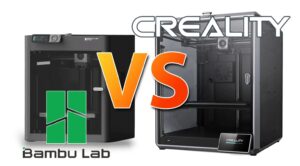
Table of Contents
-
Quick Overview
-
Key Specifications Compared
-
Build Quality, Mechanics & Design
-
Print Performance: Speed, Accuracy & Materials
-
Software, Ecosystem & Features
-
User Experience: Setup, Maintenance & Support
-
Pros & Cons Summary
-
Which One Should You Buy? & Use Case Scenarios
-
Final Thoughts
1. Quick Overview
-
The Creality K2 Pro is a recent offering from Creality targeting the enthusiast/prosumer sector with a large build volume (300×300×300 mm), full enclosure with heated chamber up to ~60 °C, high speeds, multi-material/multi-color support via CFS (Creality Filament System).
-
The Bambu Lab P1S is a closed-chamber CoreXY printer with a build volume of 256×256×256 mm, high speed (500 mm/s claimed), automated calibration, vibration compensation, and a focus on making advanced printing more accessible.
In short: K2 Pro gives you larger volume, heated chamber, and multi-color/filament ecosystem, while the P1S gives you ease of use, high speed, solid print quality in a somewhat smaller footprint.
2. Key Specifications Compared
Let’s lay out a side-by-side of major spec differences so you can see how they stack up.
| Spec | Creality K2 Pro | Bambu Lab P1S |
|---|---|---|
| Build Volume | 300 × 300 × 300 mm (approx) | 256 × 256 × 256 mm |
| Max Print Speed / Acceleration | Up to ~600 mm/s, acceleration up to 20,000 mm/s² claimed | Up to ~500 mm/s, acceleration up to ~20,000 mm/s² (various sources) |
| Chamber / Enclosure | Fully enclosed with actively heated chamber to ~60 °C | Enclosed design (P1S has glass/plastic panels) but no explicit active heated chamber to ~60 °C in spec. |
| Max Nozzle / Hot-End Temp | Nozzle ≤ 300 °C (for many materials) | Hot End to ~300 °C according to spec sheet |
| Build Plate / Bed Temp | Heated bed to ~110 °C in spec | Build plate up to ~100 °C according to specs |
| Footprint / Size / Weight | Dimensions ~445 × 505 × 850 mm, net weight ~23.7kg | Dimensions ~389 × 389 × 458 mm, net weight ~12.95 kg |
| Ecosystem (multi-color/multi-material) | Supports multi-color via CFS, up to 16 spools, automatic filament switching in combo versions | AMS-compatible (Bambu’s Automatic Material System) but typical P1S may be single-head / simpler than top model. |
| Price range* | Higher (premium) | More accessible (though still enthusiast level) |
*Pricing changes often—use this as a relative indication.
These specs tell a story: the K2 Pro is built for larger, more demanding prints, even tougher materials, multi-filament workflows. The P1S is built for speed + accuracy + ease, in a somewhat smaller envelope.
3. Build Quality, Mechanics & Design
Creality K2 Pro
-
The K2 Pro features a fully enclosed chamber with active heating up to 60 °C, making it better suited for higher-temperature materials such as ABS, PA-CF (carbon fiber nylon) etc.
-
It uses a CoreXY motion system (as per K2 series announcements) which enables faster XY motion and better stability at high speed.
-
The build plate + bed leveling: automatic leveling, heated bed, tilt detection.
-
Large footprint: The size and weight mean you’ll need a sizeable work surface and possibly dedicated space for it.
Bambu Lab P1S
-
The P1S uses a welded steel chassis (for stability) and an enclosed build chamber (glass door and plastic side panels) for better thermal consistency.
-
It features advanced firmware with vibration compensation (to handle high speed motion and still get good print quality) and pressure advance algorithms.
-
Smaller footprint and lighter weight make it more accessible for hobbyists or those with home workspace constraints.
-
While enclosed, the chamber heating is less aggressive than the K2 Pro (not explicitly stating a 60 °C chamber in specs), so for very advanced engineering filaments the thermal environment may be less ideal.
Design Philosophies
-
The K2 Pro is evidently targeted at users who want a high-performance, high-capability machine, possibly for semi-professional use or advanced hobby usage.
-
The P1S emphasizes “just works out of the box”, speed, and streamlined set-up. From multiple reviews: “just hit print” is the idea.
So if build quality and mechanics matter heavily for your workflow (e.g., you’ll print large structures, tougher materials, require stability at speed), then the K2 Pro has the edge. If you prioritize simplicity, smaller space, and fast turnaround, P1S is compelling.
4. Print Performance: Speed, Accuracy & Materials
Print Speed & Accuracy
-
K2 Pro claims speeds up to 600 mm/s and accelerations up to 20,000 mm/s². One review from TechRadar reported “average XY error ~0.213 mm” for dimensional accuracy.
-
P1S claims speeds up to 500 mm/s and accelerations up to ~20,000 mm/s². he review on Tom’s Hardware gave good marks for P1S in terms of print quality.
-
In practice: very high speeds are discussed in marketing, but quality at those speeds depends heavily on filament, cooling, chamber temperature, motion stability, etc. P1S’s vibration compensation is a plus.
Materials & Capability
-
K2 Pro: With chamber heated to 60 °C, hardened steel nozzle, fast flow rate (~40 mm³/s) and compatibility with engineering materials (PA-CF, PPA-CF) depending on configuration.
-
P1S: Hot end up to 300 °C, build plate ~100 °C, supports PLA, ABS, PC etc depending on materials but may not be as optimized for heavy composite or extremely high temperature materials.
-
For everyday use (PLA, PETG, TPU, maybe ABS), P1S is more than sufficient. For heavier materials (nylon carbon-fiber blends) the K2 Pro’s heated chamber is an advantage.
Print Quality
-
Multiple reviewers find both machines produce excellent results. For example, TechRadar’s review of the K2 Pro gave 28/30 in print quality tests.
-
The P1S review from Tom’s Hardware highlighted how Bambu’s ecosystem simplifies the process.
-
In short: if the machines are set up correctly, you can expect excellent results from both—but the margin of “how much post-processing / setup tweaking” required may differ.
Speed vs Quality Tradeoff
-
High speeds are impressive, but at very high speeds you risk quality degradation (artifacts, ringing, layer consistency) unless everything else (cooling, motion, resin, filament quality) is top notch.
-
The P1S’s strategy of combining high speed and vibration compensation is a strong point for those who want both good speed and quality without heavy tuning.
5. Software, Ecosystem & Features
Creality K2 Pro
-
Comes with Creality Print (software based on PrusaSlicer lineage) and supports multicolor/multi-material via the CFS system (Creality Filament System) which allows up to 16 colors/spools with the combo setup.
-
Features smart sensors: AI camera for print monitoring, automatic filament detection, etc. TechRadar review mentions these smart features.
-
Connectivity: WiFi, Ethernet/RJ45, USB drive etc.
-
The ecosystem is aimed at “power users” who want flexibility (multi-color, high temp, large prints).
Bambu Lab P1S
-
Bambu Lab ecosystem is well regarded for ease: automatic bed leveling, vibration/pressure advance compensation, simplified workflow (“just press print”). For example, the product listing says “the printer will handle all the calibrations”.
-
P1S supports AMS (automatic material system) for multi-material/multi-color upgrades, though you might need the “Combo” version for full multi-color support.
-
Software and firmware: Bambu Studio (their slicer) plus good integration with hardware.
-
The “ecosystem” design means less tinkering out of the box.
-
The tradeoff: Perhaps fewer extreme customization features compared to open ecosystem printers.
Feature Comparison
-
Auto-calibration & user ease: P1S leads.
-
Material & ecosystem breadth: K2 Pro leads.
-
Multi-color/multi-material: Both support, but K2 Pro is designed for it from the ground up with CFS.
-
Monitoring / smart features: K2 Pro has AI cameras; P1S has good automation but less in the “AI monitoring” category.
-
Upgradability / community hacks: P1S benefits from Bambu’s community and mod support; K2 Pro also benefits from Creality’s large user base.
6. User Experience: Setup, Maintenance & Support
Setup
-
P1S: One of the major selling points is “out of the box” readiness. Little calibration required—great for beginners or users who want to get started quickly.
-
K2 Pro: Larger machine means more considerations: space, leveling, chamber temperature, possibly more setup time for optimal prints especially if using advanced materials.
Maintenance
-
Enclosed machines require attention to ventilation, chamber heating, and ensuring insulation integrity.
-
Larger prints mean more risk of failures, so monitoring becomes more important (K2 Pro AI camera helps, but still).
-
Bambu Lab’s ecosystem tends to streamline these tasks (run-out sensors, parking features, etc).
Support & Community
-
Both brands have strong communities. Creality is a well-established brand with lots of resources, third-party mods, forums.
-
Bambu Lab has rapidly grown a reputation for streamlined machines and supportive ecosystem.
-
Availability of spare parts, upgrades, third-party accessories might be better with Creality simply due to volume—but Bambu Lab is strong for newer printers.
Space & Work Environment
-
Because K2 Pro is larger and heavier, you’ll need sufficient space, maybe a dedicated table and ventilation consideration.
-
P1S is more friendly to smaller spaces (desktop, workshop corner) given its smaller footprint and lighter weight.
7. Pros & Cons Summary
Creality K2 Pro – Pros
-
Large build volume (300×300×300 mm) gives you more freedom.
-
Actively heated chamber (~60 °C) supports tougher materials (ABS, nylon, composites).
-
High speed & acceleration claims, solid mechanical design.
-
Multi-color/multi-material support via CFS system.
-
Smart features (AI camera, sensors).
Creality K2 Pro – Cons
-
Large footprint / heavy – needs more space.
-
Potentially more complex setup and maintenance for best results.
-
Cost likely higher (both purchase price and cost of materials or upgrades).
-
High speed claims may require premium filament and fine tuning to realize quality.
Bambu Lab P1S – Pros
-
Excellent speed + accuracy for its class.
-
Compact size, more accessible for hobbyists or home workshop.
-
Very good user experience in “just works” mode – less fiddling.
-
Strong ecosystem (auto leveling, vibration compensation, etc).
-
Out of box readiness is a major selling point.
Bambu Lab P1S – Cons
-
Smaller build volume (256×256×256 mm) compared to K2 Pro.
-
Chamber heating not as aggressive as K2 Pro—might limit certain materials or large prints with high temp filaments.
-
While highly capable, may lack some of the “industrial-level” features of machines aimed at pros.
-
Ecosystem might be somewhat more closed (depending on how you view modding and customization).
8. Which One Should You Buy? Use Case Scenarios
Go for the K2 Pro if:
-
You plan to print large models (300 mm+ in each dimension) fairly frequently.
-
You expect to work with engineering/commodity materials like ABS, nylon, carbon fibre blends, or other demanding filaments.
-
You want multi-color/multi-material printing as part of your workflow.
-
You have the space, budget and are comfortable with a machine that may require more advanced setup and tuning for best performance.
-
You are treating your printer as a semi-professional tool rather than just hobby use.
Go for the P1S if:
-
You want a high-quality machine that works reliably out of the box with minimal fuss.
-
Your prints are within ~256 mm dimension, and you primarily use standard filaments (PLA, PETG, TPU, maybe ABS) rather than heavy composite materials.
-
You have limited space or work from a home workshop/desktop.
-
You value ease-of-use, fewer maintenance headaches, and want to start printing quickly.
-
Your budget is moderate and you want a strong balance of performance and convenience.
Hybrid / Other Considerations
-
If you’re somewhere in between (e.g., you might occasionally print bigger but mostly smaller and want something reliable), you might lean toward P1S and reserve larger machine for future upgrade.
-
Consider future upgrade path: if you might want multi-material/multi-color later, check how the ecosystem supports that (both K2 Pro and P1S have paths, but K2 Pro comes stronger).
-
Consider local support, spare parts, filament choices, and handling (noise, ventilation) especially if you’re in a home environment.
9. Final Thoughts
Both the Creality K2 Pro and the Bambu Lab P1S represent top-tier FDM 3D printers in their respective niches. The right choice depends heavily on your needs, workspace, materials, and how much setup/tuning you’re willing to do.
-
If you want maximum capability, large volume, advanced materials, multi-color workflows: K2 Pro is the more future-proof (albeit more demanding) option.
-
If you want ease, speed, reliable print quality in a more compact format and less hassle: P1S is a very strong choice.
For many users, the trade-off isn’t just about specs but about workflow, maintenance, and how much time you want to spend tweaking versus printing. In that sense, P1S may win for “print now and enjoy” while K2 Pro wins for “expand, tinker, push the envelope”.
If I had to pick one for most home/hobby users, I might lean toward the P1S simply because of its usability and volume–ease ratio. But for a print farm, professional prototyping, or advanced user, K2 Pro steps up.